
Verifying your specification is an important process to complete before moving it to the next status. By following the instructions below, you will be able to complete this:
1. Click ‘Actions’, ‘Edit’
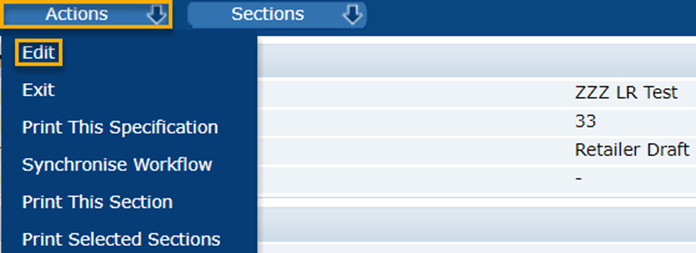
2. Then, click ‘Actions’ again, then click ‘Verify this section to (next status name)’.
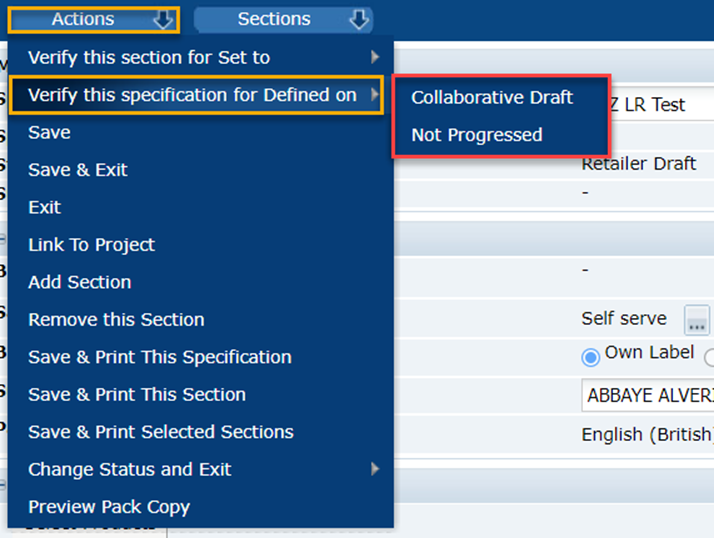
There are two possibilities for what will happen next:
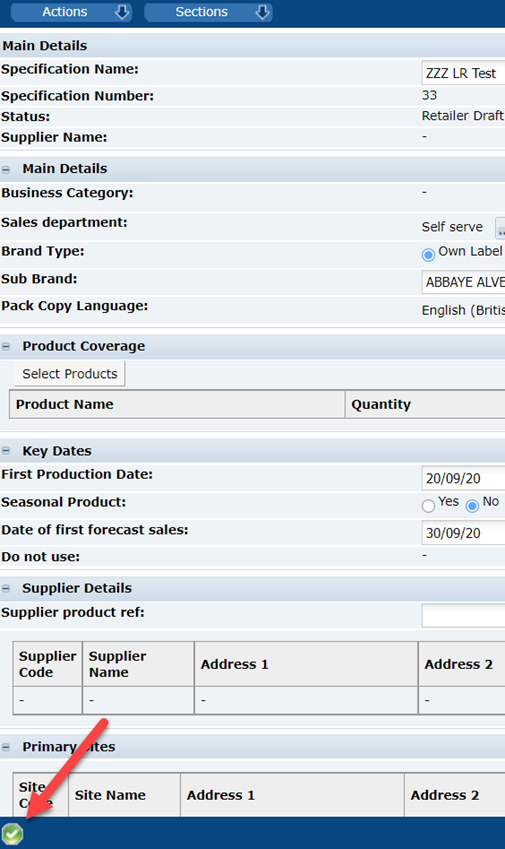
- Your specification will not have any errors and a green tick will appear – you can now move the specification to the next status.
- Your specification has some information missing or there are some errors to resolve before being able to receive a green tick. You will find some instructions below on how to diagnose these errors.
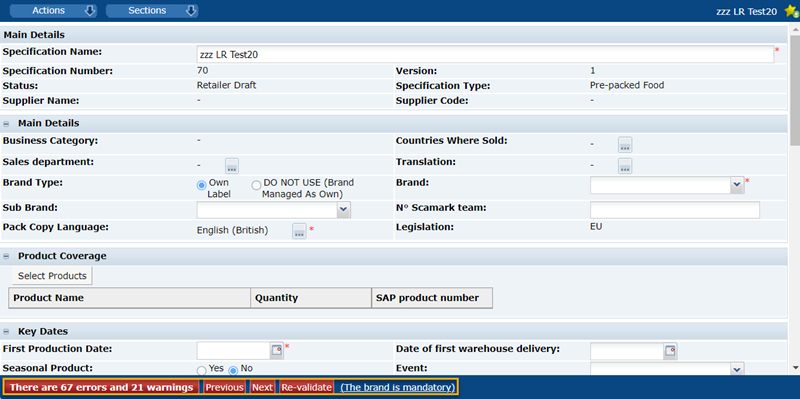
Once you have followed the instructions to verify your specification and the red error message appears, a new window will open with a list of errors.
**Please note that the warnings in BLACK will not block the specification from moving to the next status, but the errors in RED must be resolved before moving to the next status**
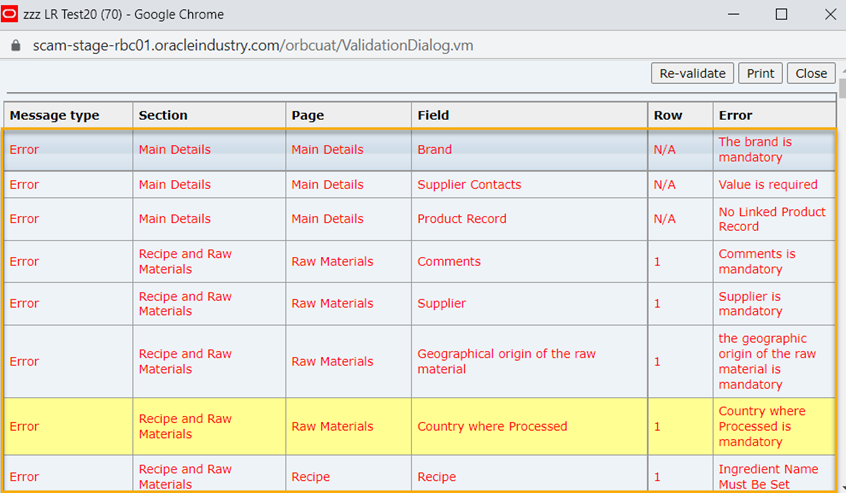
*** We encourage you to resolve all black warnings as soon as possible as they become red errors when you are in the next stage, and they must all be solved before the specification becomes active***
Double-click on one of the errors – this will take you to the first tab of the section where the error is located – however, the error may be in another one of the tabs of the section.
Please use the following diagram, which explains exactly which section and tab your error is located in:
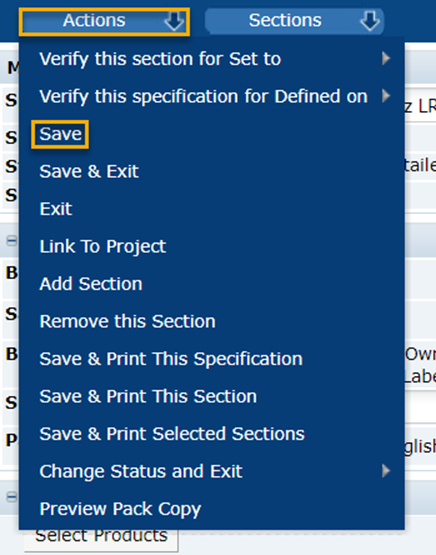
Once you have fixed the error, click ‘Actions’ and then ‘Save’ – you will need to repeat this for all the errors in the list.
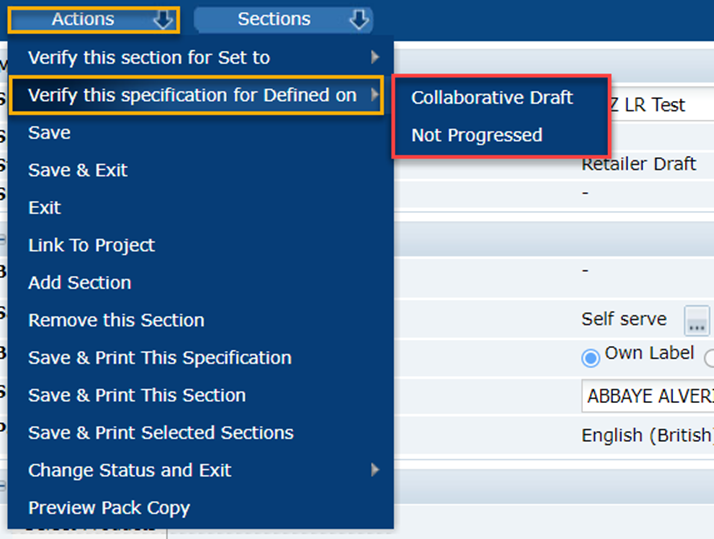
4. When all the errors are red errors are fixed, click ‘Actions’ then ‘Verify this specification to (Next Status)'.
If you have managed to fix all the errors, you should see a green tick at the bottom left-hand side of the screen.
If you require further assistance, you can contact us by email at plmscamark@msacsolutions.com
Feel free to contact one of our technical support team members between 9am and 5pm Monday through Friday by calling +33 1 76 28 43 76
Comments
0 comments
Article is closed for comments.