
If after having double-clicked on your specification to open it, nothing happens, then there is a high likelihood that you have previously closed the specification incorrectly.
(This is done by clicking the red cross at the top right-hand side of the specification window, which blocks the specification in limbo mode.)
To unblock the specification, follow the steps below:
1. Log out of the PLM portal by clicking on ‘Log Off (Your name or email address)’ on the top right-hand side of the portal.
2. Then, log back into the PLM portal, it should now be possible to open the specification.
If this does not work, please open FAQ #17 which explains a secondary step which should help unblock the specification.
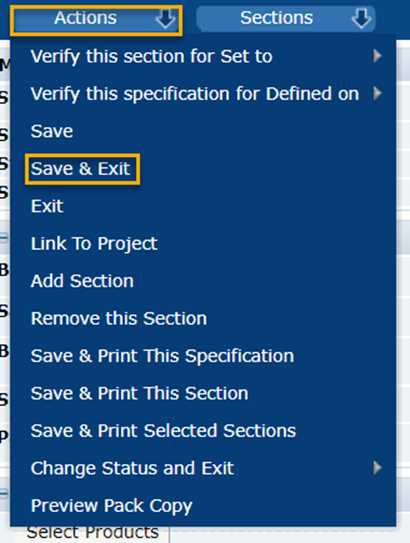
If you get into the habit of closing specifications by using the ‘Actions’ menu, then click on ‘Save and Exit’ or simply click ‘Actions’ then ‘Quit’ if not in edit mode. By doing it this way, specifications should not become blocked again.
Feel free to contact us by email at plmscamark@msacsolutions.com
You can also contact one of our technical support team members between 9am and 5pm Monday through Friday (Central European Time) by calling +33 1 76 28 43 76
Comments
0 comments
Article is closed for comments.