
This error message will appear when you are filling in the 'Allergens' section. To fix it follow the instructions below:
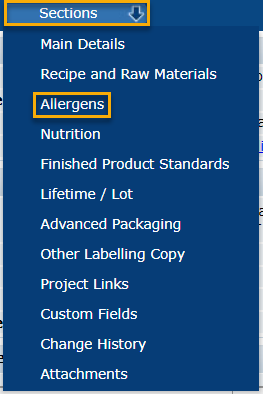
1. Open the 'Allergens' section by clicking ‘Sections’ then ‘Allergens’.
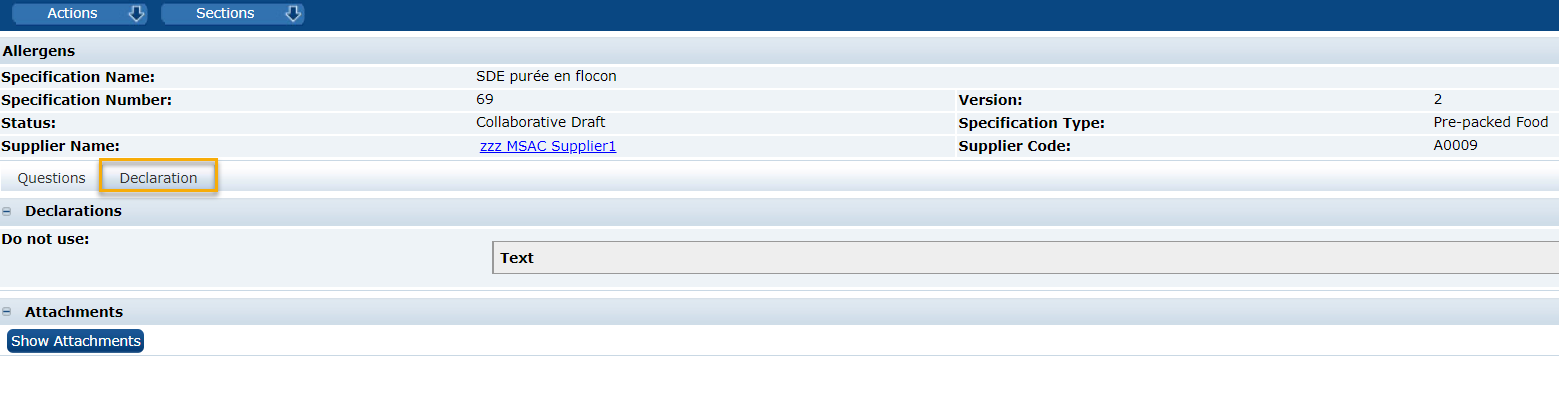
2. Click on the ‘Declarations’ tab then click on the page multiple times.
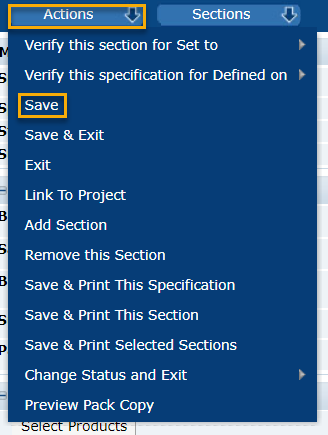
3. Click ‘Actions’, ‘Save’.
The error should have disappeared, if it has not, please contact our team and we can help you.
You can also contact us by email at plmscamark@msacsolutions.com
Feel free to contact one of our technical support team members between 9am and 5pm Monday through Friday (Central European Time) by calling +33 1 76 28 43 76
Comments
0 comments
Article is closed for comments.